AI Se Whiteboard Video Kaise Banaye?
Ab whiteboard animation banane ke liye drawing, animation skills ya complicated editing ki zarurat nahi. AutoDraft AI se apna topic enter karo aur AI-powered whiteboard video creation start karo.
Whiteboard Video Banao →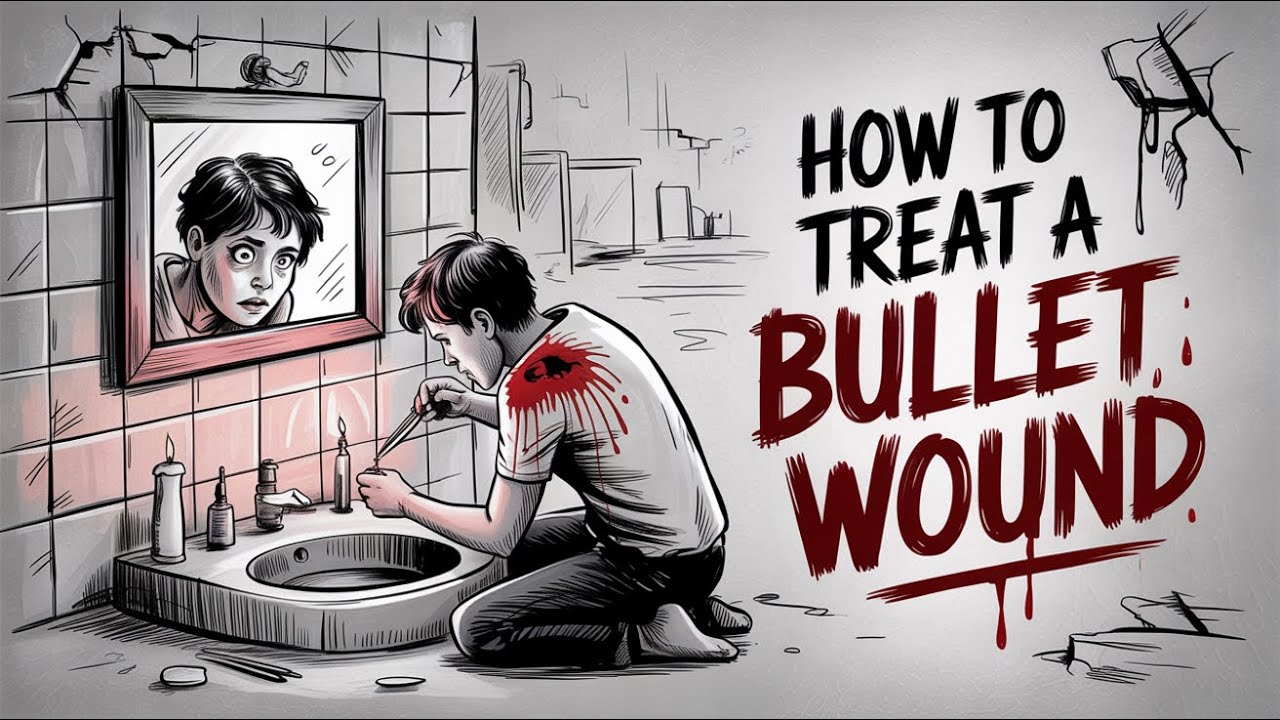
Topic Do, Whiteboard Video Banao
AutoDraft AI ka whiteboard workflow aapko educational, explainer, business aur storytelling videos create karne mein help karta hai — bina manual drawing ke.
Manual Drawing Ki Tension Nahi
Har scene ko scratch se draw karne ke bajaye apne topic aur idea se video creation start karo.
Story Ko Visual Banao
Concept ko scenes aur visual storytelling ke format mein present karo, taaki complicated ideas ko simple way mein explain kiya ja sake.
Whiteboard Video Banane Ke 5 Easy Steps
Idea se final video tak ek simple workflow follow karo.
AutoDraft AI Open Karo
AutoDraft AI launch karo aur Whiteboard Video workflow select karke creation start karo.
Apna Topic Enter Karo
Jis topic par video banana hai, uska idea ya subject enter karo.
AI Video Generate Karo
AI aapke topic ko visual storytelling ke liye scenes aur content structure mein convert karne mein help karega.
Scenes Edit Karo
Generated scenes ko review karo aur timeline par arrange karke apne video ko customise karo.
Video Finalise & Export Karo
Voiceover, visuals aur scene flow ko check karo. Jab video ready ho, export karke apne audience ke saath share karo.
Whiteboard Videos Kahan Use Kar Sakte Ho?
Ek hi video format ko multiple content needs ke liye use karo.
YouTube Ke Liye Whiteboard Videos Kyun Banaye?
Whiteboard videos complex topics ko simple visual storytelling mein explain karne ka ek practical format hai. YouTube creators ise educational content, explainers, tutorials aur story-based videos ke liye use kar sakte hain.
YouTube Explainer Videos
Agar aapka topic complicated hai, toh whiteboard visuals ke through information ko step-by-step explain kar sakte ho. Business concepts, technology, finance, education aur how-to topics ke liye ye format useful ho sakta hai.
Educational YouTube Content
Teachers, educators aur content creators lessons ko visual format mein present kar sakte hain. Ek topic ko scenes mein divide karke viewers ko information follow karna easier banaya ja sakta hai.
Voiceover-Based Videos
Whiteboard storytelling narration ke saath naturally work karta hai. Aap visual scenes ke saath voiceover-driven videos create karke apne YouTube channel ke liye consistent content format develop kar sakte ho.
Ideas Ko Visual Story Mein Convert Karo
Sirf talking-head ya text-heavy video ke bajaye, concepts ko characters, drawings, objects aur scene changes ke through visually present karo.
YouTube Whiteboard Video Banane Ka Simple Formula
Topic choose karo → short script prepare karo → key points ko scenes mein divide karo → AutoDraft AI mein whiteboard video create karo → timeline par scenes arrange karo → voiceover aur visuals review karo → final video YouTube par publish karo.
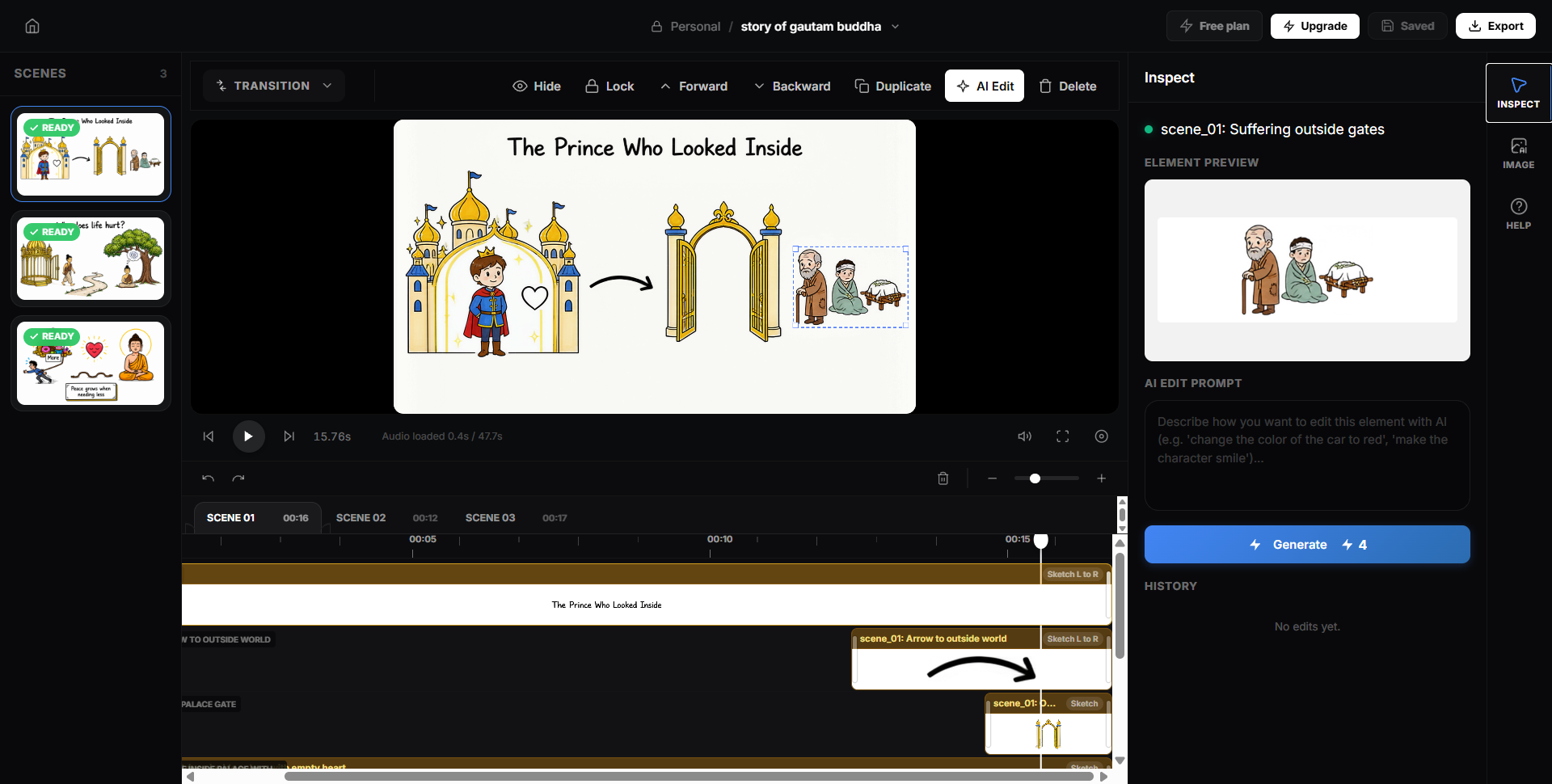
AI Se Start Karo, Timeline Par Apni Story Finish Karo
- ✓ Topic se video creation start karo
- ✓ Generated scenes ko review karo
- ✓ Timeline par scenes arrange karo
- ✓ Voiceover aur visuals ko refine karo
- ✓ Final whiteboard video export karo
AI Whiteboard Video Maker FAQs
Whiteboard video creation aur AutoDraft AI ke baare mein common questions ke quick answers.
AI se whiteboard video kaise banaye?
AutoDraft AI open karo, Whiteboard Video workflow select karo, apna topic ya idea enter karo aur AI-assisted video creation start karo. Generated scenes ko review karke timeline par arrange karo aur final video export karo.
Whiteboard video banane ke liye drawing aani zaroori hai?
Nahi. AutoDraft AI ka workflow manual drawing ke bina whiteboard-style video creation ko simplify karta hai. Aap topic se start karke generated visuals aur scenes ko customise kar sakte ho.
Kya AutoDraft AI se YouTube ke liye whiteboard videos bana sakte hain?
Haan. Whiteboard videos ko YouTube explainers, educational videos, tutorials, business content aur storytelling formats ke liye use kiya ja sakta hai. Final video ko publish karne se pehle visuals, narration aur overall flow review karna useful hai.
Whiteboard videos kin topics ke liye useful hain?
Education, how-to tutorials, business explainers, technology, finance, product explainers, storytelling aur YouTube educational content jaise topics ke liye whiteboard format useful ho sakta hai.
Kya main whiteboard video ko edit kar sakta hoon?
Haan. Generated scenes ko review karke timeline par arrange aur refine kiya ja sakta hai. Isse aap story ka sequence aur visual flow apni requirement ke according set kar sakte ho.
YouTube ke liye whiteboard video ka script kaise likhein?
Ek clear hook se start karo, phir topic ko short sections mein break karo. Har section ke liye ek visual idea rakho aur end mein clear takeaway ya CTA add karo. Short, conversational sentences narration ke liye generally easier hote hain.
Kya AutoDraft AI beginners ke liye useful hai?
Agar aap video editing ya animation mein beginner ho, toh topic-to-video workflow aur timeline-based editing aapko creation process ko step-by-step manage karne mein help kar sakti hai.
Whiteboard video aur normal explainer video mein kya difference hai?
Whiteboard videos commonly hand-drawn ya sketch-style visuals aur sequential storytelling use karte hain. Explainer videos broader category hain aur unmein animation, live footage, motion graphics, screen recordings ya other visual styles bhi ho sakte hain.
Apna Pehla AI Whiteboard Video Aaj Hi Banao
Education, YouTube, business ya storytelling — apna topic AutoDraft AI mein lao aur whiteboard video creation ko simple banao.
AutoDraft AI Try Karo →